Travel Planner Bundle – Excel Expense Tracker & Notion Template (Digital Download)
Plan your trip without stress or financial chaos.
This Travel Planner Bundle includes:
✔ an Excel Travel Expense Planner for budget tracking
✔ a Notion Travel Planning Template for organizing every detail in one place
Use them together or separately for a clear, stress-free travel experience.
📦 WHAT’S INCLUDED
This digital bundle contains two complementary planning tools:
✔ Excel Travel Expense Planner (.xlsm)
– Budget planning & expense tracking
– Planned vs actual spending
– Automatic calculations & summaries
✔ Notion Travel Planning Template
– Trip details, daily plans & packing list
– Flight timeline & important reminders
– Fully customizable after duplication
🧮 PART 1 – EXCEL TRAVEL EXPENSE PLANNER
File type & important notes
File format: .xlsm (macro-enabled Excel file)
Macros must be enabled for full functionality
Macros are used only for:
clearing input data
resetting tables
🔒 Macros do not access the internet and do not collect personal data.
What this Excel planner is for
Use Excel to:
track planned vs actual expenses
see your remaining budget in real time
identify top spending categories
keep everything structured & automatic
Main sheets explained
🗺 Trip Overview
Enter:
destination country
travel start & end dates
number of adults, children, pets
currency (dropdown)
Clear All Data button:
clears only entered values
keeps layout, formulas, dropdowns & design intact
💳 Expense Planner
Enter:
category
description
planned amount
actual amount
paid amount
Automatic columns (DO NOT EDIT):
difference
remaining to pay
rank
⚠️ Do not delete columns or formulas – this may break calculations and charts.
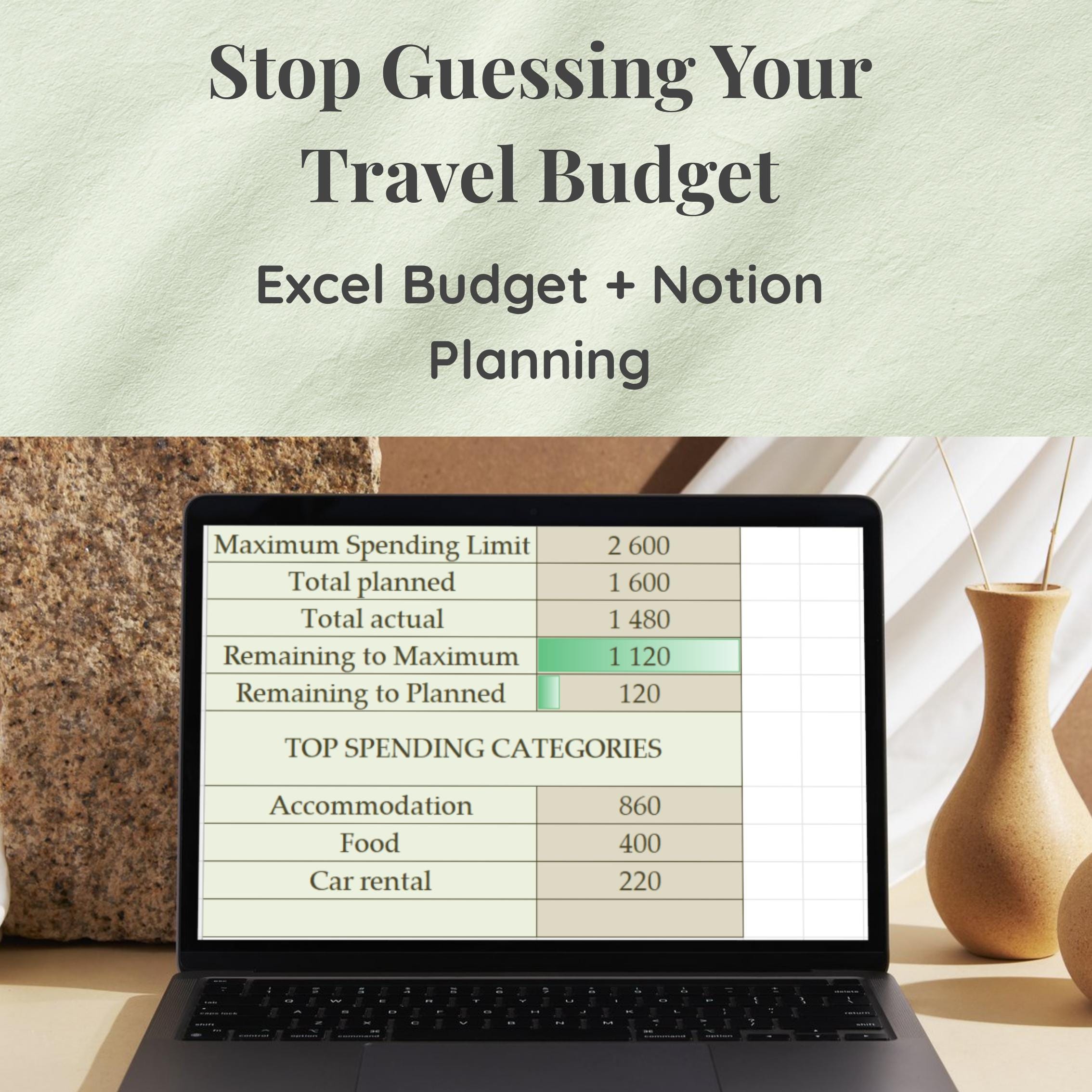
📊 Budget Summary
Maximum Spending Limit is entered manually
Automatically calculates:
total planned
total actual
remaining to maximum
remaining to planned
Clear button resets only the maximum limit.
💱 Currency List
Contains all available currencies
If your currency is missing:
Add it to the Currency List sheet
It will automatically appear in the dropdown
You may extend the list safely.
⚠️ Do not rename the sheet or remove existing currencies.
🗂 PART 2 – NOTION TRAVEL PLANNING TEMPLATE
Accessing the template
Open the Notion template link provided after purchase which you can find in the pdf User Guide
Steps:
Click Duplicate (top right corner)
Log in to your Notion account (free account is enough)
The template will be copied to your workspace
After duplicating, everything is fully editable.
What’s inside the Notion template
🗓 Trip Dates
Start Date & End Date with calendar selection
👨👩👧 Travelers & Trip Details
Fill in:
adults
children
pets
accommodation
transport details
✈️ Flight Timeline
Track:
airport arrival
boarding time
departure
landing
Perfect for smooth travel days.
📅 Daily Plan
Plan each day with:
day
main plan
notes
Add or remove days as needed.
🎒 Packing Checklist
Collapsible toggle section
Checkbox-based packing list
⚠️ Important Section
Collapsible reminder section
Ideal for:
documents
rules
important preparations
📝 Notes & Budget Notes
extra thoughts
reminders
optional or estimated costs
Fully customizable text areas.
ℹ️ IMPORTANT INFORMATION
This is a digital product – no physical item will be shipped
No refunds due to the digital nature of the product
For Notion: you must duplicate the template before editing
💡 FINAL TIP
Use Excel for numbers and budget clarity.
Use Notion for structure, planning, and daily organization.
Together, they create a complete, stress-free travel planning system ✨
 @doriland